Early Learning Goals (ELGs) on Tapestry
The 2021 ELGs appear as a framework picker when making observations on the browser and on the new iOS and Android apps (but not the Classic/Legacy app versions).

You’ll find an EYFSP screen for these assessments. It can be found in the ‘Tracking’ tab under ‘ELG 2021’.
The default scores shown on this screen are the most recent ELG 2021 assessments made as part of observations for each child. If there haven’t been any assessments as part of observations for that aspect and child, ‘No Score’ (on the individual view) or a dash (on the group view) will appear. You can see all the previous relevant observations by clicking on ‘Show Details’ (on the individual view) or the score itself (on the group view).
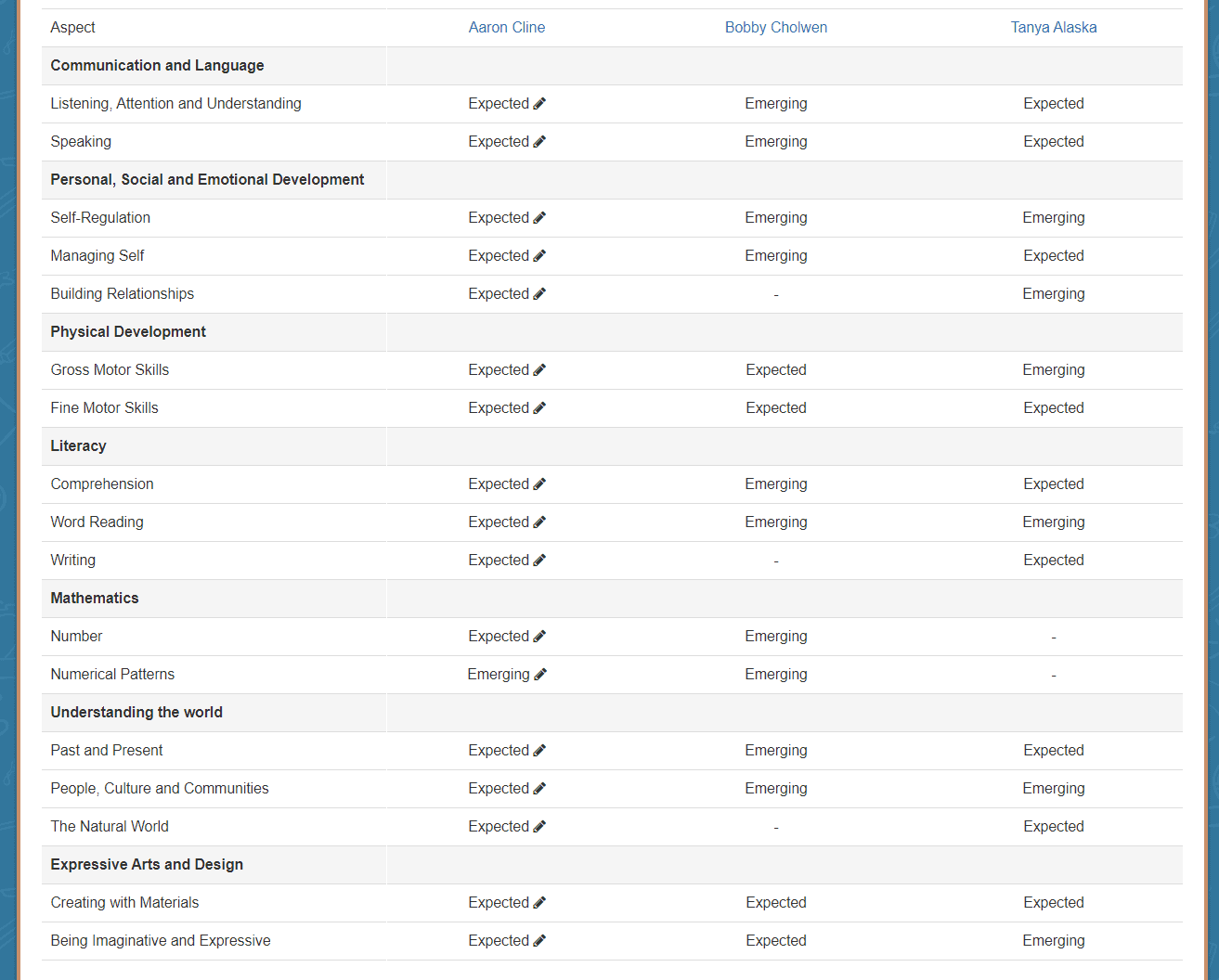
If you disagree with any of the scores that appear automatically, you can override them in the ‘Individual’ view.
You can also see which children have reached a Good Level of Development according to this EYFSP form from the GLD view.
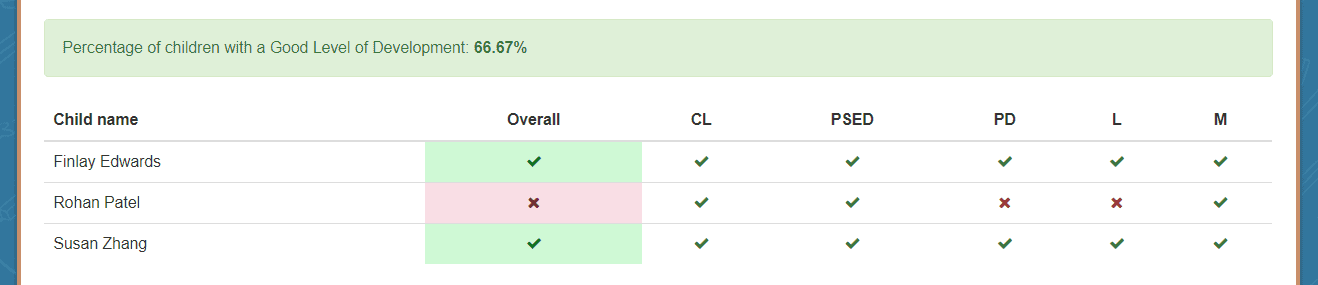
The Group and Individual views can be exported as CSVs or PDFs.
Please note that the old ELGs still exist on Tapestry, so make sure you’re using the ELG 2021 option.